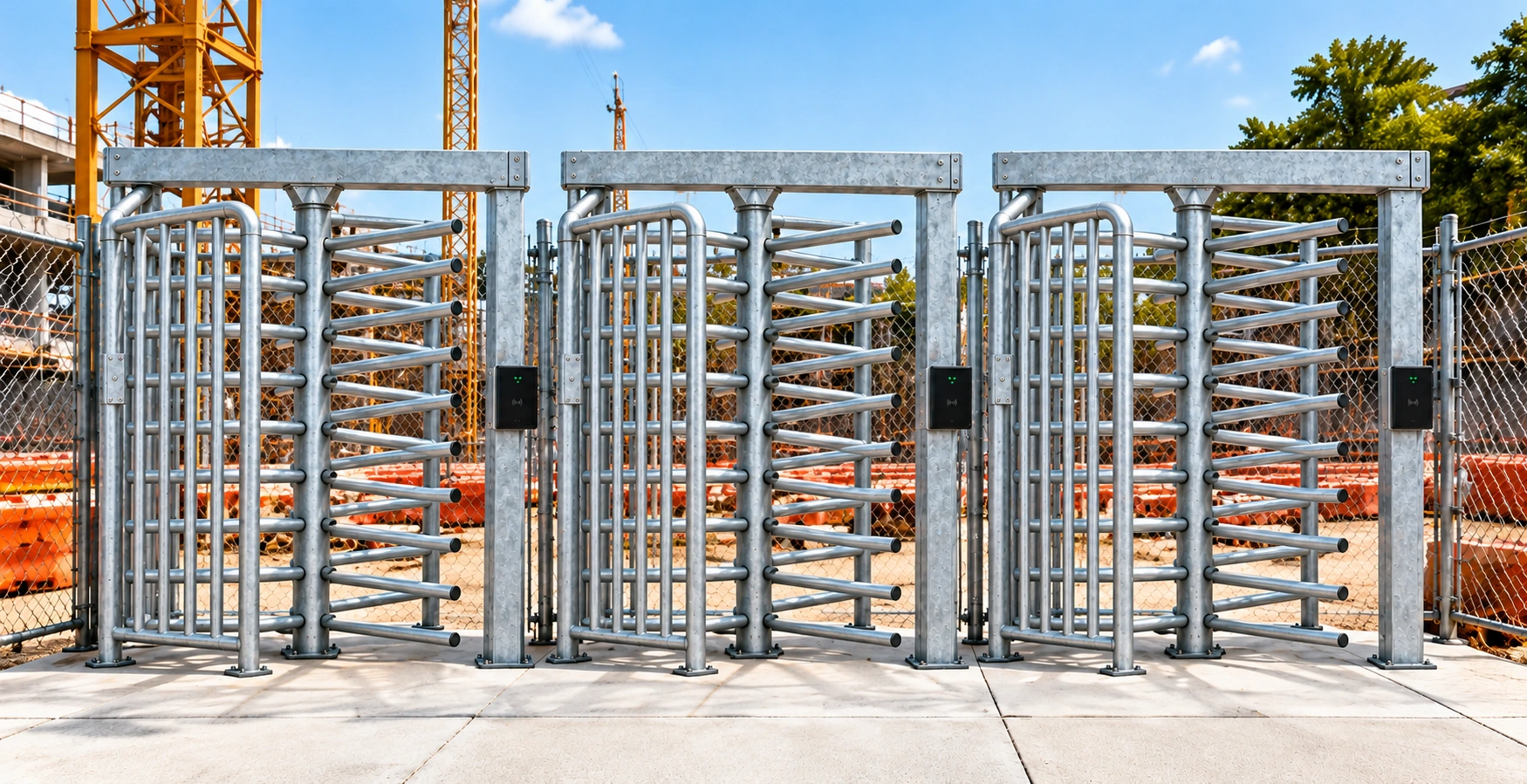

How construction site access control works
The entry process starts before a worker reaches the reader. Give each stage an owner so an incomplete registration or rejected credential can be resolved away from the queue.
- Register the worker. Connect their profile to the correct organisation and project.
- Complete the site induction. Review the information required for the project. See the worker registration and induction process.
- Approve site permissions. Nominate who can grant, change and withdraw access. Agree how permission updates reach the entrance.
- Identify at the reader. The configured reader identifies the arriving worker. Facial recognition is an available hardware option. Confirm the selected identification method during scoping.
- Apply the entry decision. The reader and controller connect the agreed access rules to the turnstile. Route rejected entries to the responsible site contact.
- Review recorded movement. Entry and exit events feed site attendance records. Site managers can review attendance through the PLEXA mobile app.
Plan the reader, turnstile and fence line together
A reader checks a credential. A full-height turnstile controls the pedestrian passage. The surrounding fence line determines how people reach that passage and whether they can bypass it.
Mark the entrance on a site plan. Include the pedestrian approach, queue space, reader position and adjoining access. Allow a separate process for visitors and people carrying equipment. Confirm accessible passage and emergency arrangements with the responsible project team.
Choose lane configurations around peak arrivals and simultaneous entry and exit. Coordinate power, cabling and installation responsibilities before equipment arrives.
Set permissions and exceptions before commissioning
Define the entry conditions for workers, subcontractors and visitors. Confirm who reviews registrations and who can resolve a rejected entry. Record how expired credentials, withdrawn approvals and lost identification are handled.
Site entry approval does not establish authority to perform every task. Keep task-specific requirements with the responsible supervisor. The construction manager’s guide to site access explains the distinction between entry eligibility, task authorisation and progress evidence.
Agree an override process with a named approver, reason and time limit. Test how changed permissions reach each entrance. Keep a record of the decision and any correction.
Check the complete entrance before handover
Use representative worker profiles to test the agreed rules. Include an approved worker, a withdrawn permission and an unregistered arrival. Verify entry and exit records against the passage observed at the gate.
- Confirm reader placement, controller compatibility and the selected identification method.
- Check power and network loss separately. Document the agreed continuity procedure.
- Test permission changes and the process for resolving rejected entries.
- Reconcile attendance exceptions and confirm who can correct a record.
- Confirm support contacts, training and responsibility for each part of the entrance.
Existing gates require a compatibility review before an integration can be agreed. See connectivity and existing-equipment requirements. For a scope comparison, use the construction site turnstile buyer’s guide.
Construction access control questions
What is construction site access control?
Construction site access control checks who can enter a project and applies the agreed entry permissions at its entrances. A connected system brings worker registration, induction approval, access readers, turnstiles and attendance records into the same workflow.
How does induction approval connect to a turnstile?
PLEXA links approved worker profiles with site permissions and the configured access reader. The reader and controller apply the agreed entry rules to the turnstile. The project team defines who approves workers, which conditions apply and how exceptions are handled.
Does a site induction authorise every type of work?
Entry approval and task authorisation are separate decisions. A worker may need additional competencies, supervision, a relevant SWMS or a permit for a particular activity. The site team remains responsible for checking the requirements of the work.
Can PLEXA connect to an existing turnstile?
Existing equipment needs a compatibility assessment. Provide the gate make and model, controller details, reader information and photographs. Reader interfaces, power, connectivity and the required operating behaviour must be checked before a technology-only scope is agreed.
What happens if power or connectivity fails?
Behaviour depends on the selected gate, controller, reader and configuration. Confirm the response to power loss and network loss separately. Agree the manual procedure, any available offline permissions and how events are reconciled after service returns.
Do attendance records prove hours worked?
Entry and exit events support attendance review. Missing scans and alternative entrances can affect the record. Recorded presence does not independently establish productive hours, completed work or payment entitlement.